

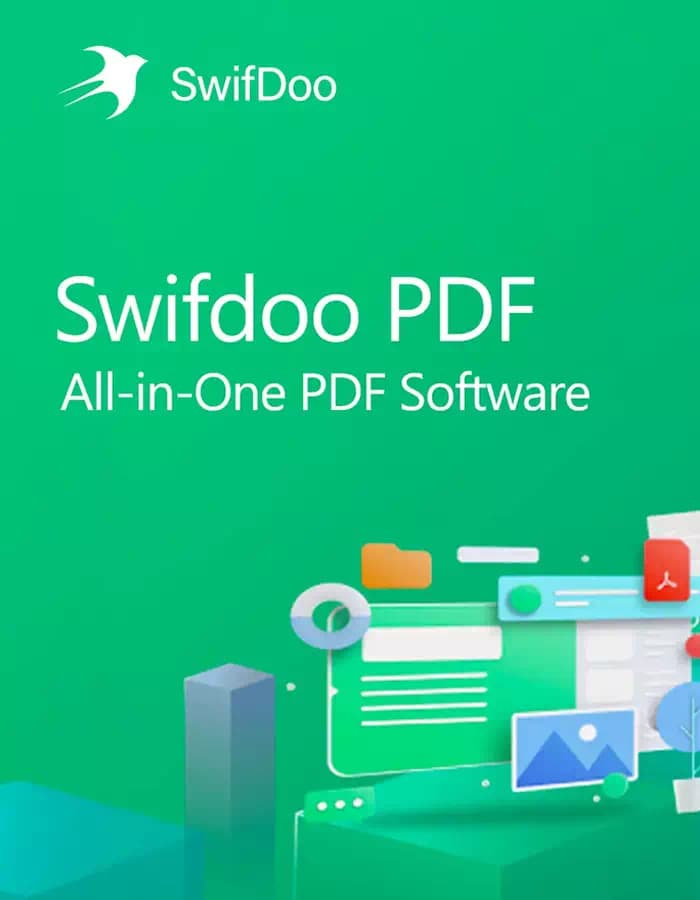
SwifDoo PDF Perpetual
Can be activated in: Global
Region: Global
Works on: Windows
SwifDoo PDF Perpetual
Can be activated in: Global
Region: Global
Works on: Windows
Offers
Kaspersky Standard
SwifDoo PDF for Windows is a lightweight, all-in-one PDF solution that lets you easily create, edit, convert, and manage PDF files on your PC. It is designed for both home and business users who need a fast, user-friendly PDF tool with professional features.
Key Features
PDF Editing: Edit text, images, links, and layout directly inside your PDF, just like working in a Word document.
Create & Merge PDFs: Create PDFs from Office files, images, or blank pages, and merge multiple PDFs into a single file.
Convert PDFs: Convert PDF to Word, Excel, PowerPoint, images, and other formats, and convert those formats back to PDF.
Annotate & Comment: Highlight, underline, add comments, stamps, and shapes to collaborate and review documents more easily.
Protect & Sign: Add passwords, permissions, and digital signatures to secure sensitive documents and control access.
Compress & Optimize: Reduce PDF file size without losing quality for easier sharing and faster upload/download.
OCR (Optical Character Recognition): Convert scanned PDFs or images into editable and searchable text.
Page Management: Insert, delete, rotate, crop, and rearrange pages with an intuitive thumbnail view.
Performance & Usability
SwifDoo PDF for Windows is optimized for speed and low resource usage, so it runs smoothly even on older PCs. Its clean and modern interface makes it easy for beginners while still providing advanced tools for power users.
Compatibility
Platform: Windows 11/10/8/7 (supports both 32-bit and 64-bit systems).
Use cases: Ideal for students, professionals, offices, freelancers, and businesses that work daily with PDF contracts, reports, invoices, or study materials.
SwifDoo PDF for Windows Activation Key Redemption
To activate SwifDoo PDF for Windows using your license key, follow these steps:
Visit the SwifDoo PDF User Center and log in at https://www.swifdoo.com/usercenter
Navigate to the “Redeem Activation Key” section
Select “SwifDoo PDF for Windows” from the product list
Copy your activation code and paste it into the “Enter your activation key here” field
Click the “Activate” button to complete the manual activation process
Log in to SwifDoo PDF using the same email address you used to activate the key
Important Notes:
Ensure no blank spaces are left in any location of the license code for successful registration
Use the exact email address for both activation and software login
SwifDoo PDF Perpetual
Can be activated in: Global
Region: Global
Works on: Windows
SwifDoo PDF for Windows is a lightweight, all-in-one PDF solution that lets you easily create, edit, convert, and manage PDF files on your PC. It is designed for both home and business users who need a fast, user-friendly PDF tool with professional features.
Key Features
PDF Editing: Edit text, images, links, and layout directly inside your PDF, just like working in a Word document.
Create & Merge PDFs: Create PDFs from Office files, images, or blank pages, and merge multiple PDFs into a single file.
Convert PDFs: Convert PDF to Word, Excel, PowerPoint, images, and other formats, and convert those formats back to PDF.
Annotate & Comment: Highlight, underline, add comments, stamps, and shapes to collaborate and review documents more easily.
Protect & Sign: Add passwords, permissions, and digital signatures to secure sensitive documents and control access.
Compress & Optimize: Reduce PDF file size without losing quality for easier sharing and faster upload/download.
OCR (Optical Character Recognition): Convert scanned PDFs or images into editable and searchable text.
Page Management: Insert, delete, rotate, crop, and rearrange pages with an intuitive thumbnail view.
Performance & Usability
SwifDoo PDF for Windows is optimized for speed and low resource usage, so it runs smoothly even on older PCs. Its clean and modern interface makes it easy for beginners while still providing advanced tools for power users.
Compatibility
Platform: Windows 11/10/8/7 (supports both 32-bit and 64-bit systems).
Use cases: Ideal for students, professionals, offices, freelancers, and businesses that work daily with PDF contracts, reports, invoices, or study materials.
SwifDoo PDF for Windows Activation Key Redemption
To activate SwifDoo PDF for Windows using your license key, follow these steps:
Visit the SwifDoo PDF User Center and log in at https://www.swifdoo.com/usercenter
Navigate to the “Redeem Activation Key” section
Select “SwifDoo PDF for Windows” from the product list
Copy your activation code and paste it into the “Enter your activation key here” field
Click the “Activate” button to complete the manual activation process
Log in to SwifDoo PDF using the same email address you used to activate the key
Important Notes:
Ensure no blank spaces are left in any location of the license code for successful registration
Use the exact email address for both activation and software login
Payment
Support
Seller
Available Editions
Offers
Kaspersky Standard
Product description
About SwifDoo PDF Perpetual
SwifDoo PDF for Windows is a lightweight, all-in-one PDF solution that lets you easily create, edit, convert, and manage PDF files on your PC. It is designed for both home and business users who need a fast, user-friendly PDF tool with professional features.
Key Features
PDF Editing: Edit text, images, links, and layout directly inside your PDF, just like working in a Word document.
Create & Merge PDFs: Create PDFs from Office files, images, or blank pages, and merge multiple PDFs into a single file.
Convert PDFs: Convert PDF to Word, Excel, PowerPoint, images, and other formats, and convert those formats back to PDF.
Annotate & Comment: Highlight, underline, add comments, stamps, and shapes to collaborate and review documents more easily.
Protect & Sign: Add passwords, permissions, and digital signatures to secure sensitive documents and control access.
Compress & Optimize: Reduce PDF file size without losing quality for easier sharing and faster upload/download.
OCR (Optical Character Recognition): Convert scanned PDFs or images into editable and searchable text.
Page Management: Insert, delete, rotate, crop, and rearrange pages with an intuitive thumbnail view.
Performance & Usability
SwifDoo PDF for Windows is optimized for speed and low resource usage, so it runs smoothly even on older PCs. Its clean and modern interface makes it easy for beginners while still providing advanced tools for power users.
Compatibility
Platform: Windows 11/10/8/7 (supports both 32-bit and 64-bit systems).
Use cases: Ideal for students, professionals, offices, freelancers, and businesses that work daily with PDF contracts, reports, invoices, or study materials.
SwifDoo PDF for Windows Activation Key Redemption
To activate SwifDoo PDF for Windows using your license key, follow these steps:
Visit the SwifDoo PDF User Center and log in at https://www.swifdoo.com/usercenter
Navigate to the “Redeem Activation Key” section
Select “SwifDoo PDF for Windows” from the product list
Copy your activation code and paste it into the “Enter your activation key here” field
Click the “Activate” button to complete the manual activation process
Log in to SwifDoo PDF using the same email address you used to activate the key
Important Notes:
Ensure no blank spaces are left in any location of the license code for successful registration
Use the exact email address for both activation and software login
What Is the Cheapest Price of SwifDoo PDF Perpetual in Global?
The cheapest SwifDoo PDF Perpetual price in Global is $109.35! You can buy authentic SwifDoo PDF Perpetual at GAMINON. Enjoy fast delivery, exclusive offers, and daily support. Order now for the best experience!
Reviews
Trending Products
 -62%
-62% -31%
-31%
 -28%
-28% -86%-62%-31%-28%-86%